

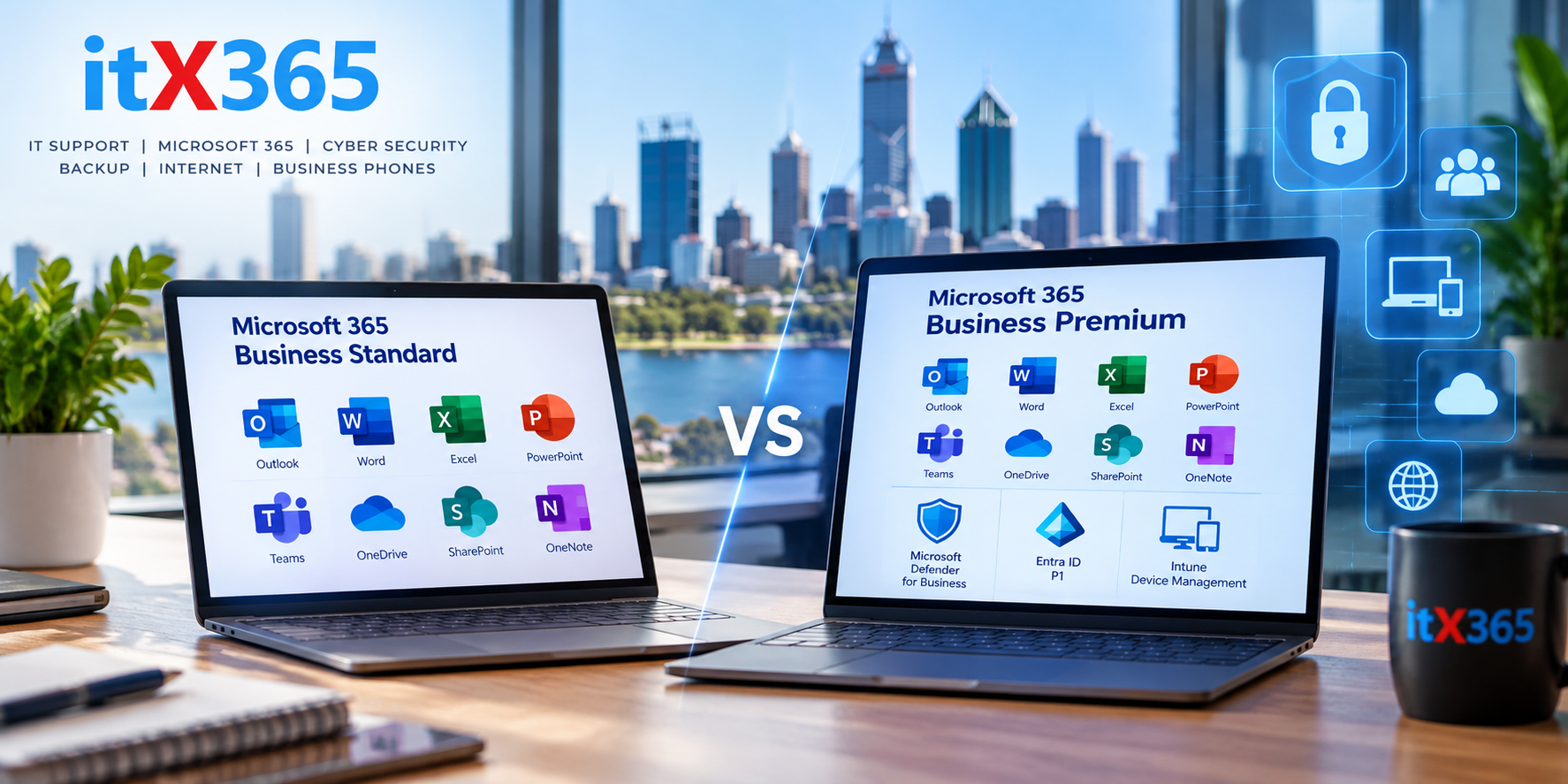
Microsoft 365 Business Standard vs Business Premium: Which Does Your Business Need?
Microsoft 365 is at the centre of many small businesses. It provides familiar applications such as Outlook, Word, Excel, Teams, OneDrive and SharePoint, but choosing the right Microsoft 365 licence isn’t always straightforward.
Two of the most common options for small and medium businesses are Microsoft 365 Business Standard and Microsoft 365 Business Premium.
At first glance, they can look very similar. Both provide the core Microsoft 365 applications most businesses need.
The major difference is security.
For businesses deciding between the two, the question isn’t simply whether you need Word, Excel and Outlook. You should also consider how your company protects its computers, user accounts and business information.
What do you get with Microsoft 365 Business Standard?
Microsoft 365 Business Standard provides the productivity tools most businesses expect from Microsoft 365.
This includes desktop versions of applications such as Word, Excel, PowerPoint and Outlook, together with Microsoft’s cloud services such as Exchange Online, OneDrive, SharePoint and Teams.
For many businesses, that covers the basic productivity requirements very well.
However, Business Standard doesn’t include the same advanced security and device-management capabilities available with Business Premium.
This distinction becomes increasingly important as a business grows or becomes more dependent on Microsoft 365.
What does Microsoft 365 Business Premium add?
Business Premium includes the productivity features of Business Standard but adds a significant collection of security and device-management technologies.
These capabilities allow a business or its IT provider to do much more than simply provide employees with email and Office applications.
Some of the most important additions include Microsoft Intune, Microsoft Defender for Business and Microsoft Entra ID P1.
Together, these provide considerably greater control over who can access company information, which devices can access it and how those devices are protected.
Conditional Access
One of the most useful security capabilities available with Business Premium is Conditional Access.
Traditional security often works on a simple principle: if somebody knows the correct username and password, they can attempt to sign in.
Modern security needs more context.
Conditional Access can consider factors such as the user’s identity, location, device and authentication status before allowing access to company resources.
For example, a business could require stronger authentication under certain circumstances or restrict access from locations that don’t make sense for its operations.
This provides another layer of protection if a user’s password is compromised.
Device management with Microsoft Intune
As businesses adopt laptops, mobile devices and remote working, controlling access to company information becomes more complicated.
Microsoft Intune allows businesses to manage supported devices and apply policies to them centrally.
This can help ensure that devices accessing company information meet the organisation’s requirements.
It also becomes particularly valuable when employees join or leave the business.
Instead of relying entirely on manual configuration, policies can be applied consistently across managed devices.
Microsoft Defender for Business
Cybersecurity isn’t only about protecting Microsoft 365 accounts.
The computers employees use every day are another important part of the security picture.
Microsoft Defender for Business provides endpoint security capabilities designed for small and medium businesses.
It can help identify and respond to threats affecting business computers rather than relying solely on traditional antivirus protection.
This becomes part of a broader security strategy that can include MFA, email protection, managed firewalls, DNS security, backups and ongoing monitoring.
So, is Business Standard insecure?
No.
This is an important distinction.
Choosing Business Standard doesn’t automatically mean that a business has poor security. There are other ways to provide endpoint protection, device management and additional security controls.
The real question is how those requirements are being addressed.
A business using Business Standard together with appropriately configured third-party security services may have an excellent security posture.
However, businesses should understand what security products they already have before comparing licence prices.
Sometimes Business Premium can replace or consolidate separate products that the business is already paying for.
When does Business Premium make sense?
Business Premium becomes particularly attractive when a business wants Microsoft 365 productivity, endpoint security, identity protection and device management within the Microsoft ecosystem.
It may be worth considering when:
- Employees regularly work remotely.
- Business information is stored in OneDrive and SharePoint.
- The business wants centrally managed computers.
- Stronger identity and access controls are required.
- The business wants Microsoft endpoint security.
- Employees access company information from multiple locations or devices.
- Cybersecurity or compliance requirements are becoming more important.
For a business with several employees and important information stored in Microsoft 365, these capabilities can become considerably more valuable than the difference in licence cost alone.
Don’t choose Microsoft 365 licences based only on price
It’s tempting to compare Microsoft 365 licences by looking at the monthly price per user.
But this doesn’t always show the complete cost.
Consider the other security products your business needs.
If Business Standard requires separate endpoint security, device-management or identity-security products to achieve the desired outcome, those costs should be included in the comparison.
Likewise, there’s little benefit in paying for Business Premium if nobody is configuring or managing the additional security capabilities.
A security feature that exists in a licence but hasn’t been properly configured may provide little practical benefit.
Microsoft 365 is only one part of business security
Business Premium provides some excellent security capabilities, but it shouldn’t be considered a complete cybersecurity strategy by itself.
Businesses still need to think about areas such as backups, firewalls, DNS security, employee awareness, administrator access, software updates and disaster recovery.
Security works best when these protections are treated as layers rather than relying on any single product.
This is also where a managed IT provider can help. Rather than looking at Microsoft 365 licensing in isolation, the provider can consider how Microsoft 365 fits into the organisation’s broader technology and cybersecurity environment.
Which Microsoft 365 licence should your business choose?
There isn’t one answer that applies to every business.
For a small organisation with straightforward requirements and security provided through other systems, Microsoft 365 Business Standard may be perfectly suitable.
For organisations that want stronger identity security, centrally managed devices and Microsoft’s endpoint-security capabilities, Business Premium can provide substantial additional value.
The important thing is understanding what you’re paying for — and making sure the features you’re paying for are actually configured and used.
Need help reviewing your Microsoft 365 environment?
itX365 helps Perth businesses manage Microsoft 365 licensing, security, users and devices as part of our managed IT services.
If you’re unsure whether your current Microsoft 365 licences are appropriate for your business, we can review your environment and help identify what you actually need.