

Who Actually Controls Your Business Domain Name?
Your business domain name might cost only a few dollars each month.
But it can be one of the most important technology assets your business owns.
Your website may use it.
Your email depends on it.
Microsoft 365 may depend on its DNS records.
Customers recognise it.
And if something goes wrong with the domain, several seemingly unrelated business systems can stop working at the same time.
Despite this, many businesses aren’t completely sure where their domain is registered, who controls it or even whose name it’s registered under.
That’s a risk worth fixing before it becomes an emergency.
What is a domain name?
A domain is the address people associate with your business online.
For example:
yourbusiness.com.au
It can be used for your website and email addresses such as:
But the domain does much more behind the scenes.
DNS — the Domain Name System — contains records that tell computers where different services associated with the domain can be found.
That can include your website, Microsoft 365 email and other cloud services.
If those records are changed incorrectly, services can stop working even though there is nothing wrong with Microsoft 365 or your website itself.
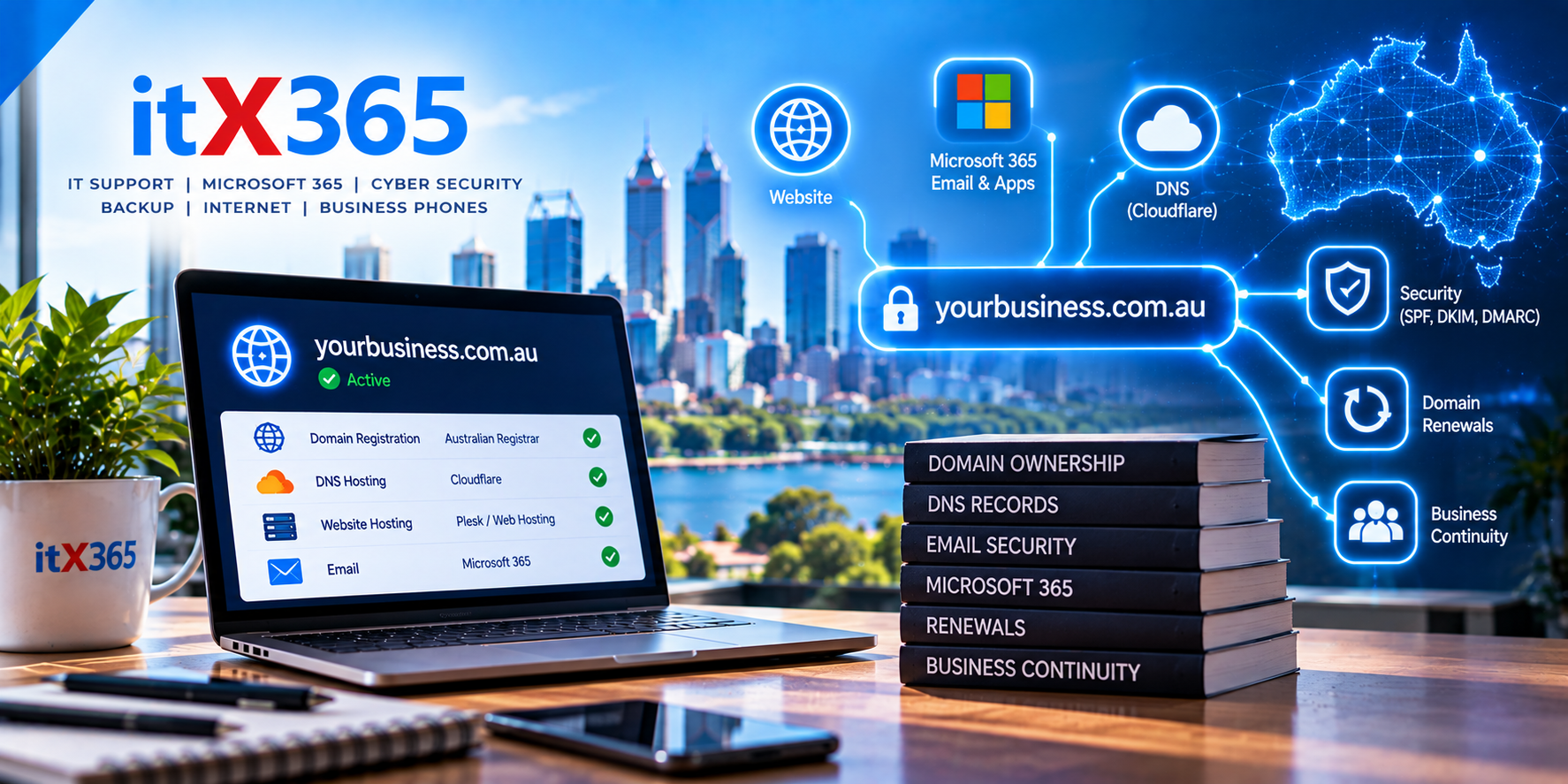
Domain registration and website hosting aren’t the same thing
This causes a lot of confusion.
Your domain registrar is the organisation responsible for registering and renewing your domain.
Your DNS provider hosts the DNS records that direct traffic for the domain.
Your web hosting provider hosts your website.
Your email provider might be Microsoft 365.
These can all be different companies.
For example, a business could have its domain registered with one provider, DNS hosted somewhere else, its website on another hosting platform and email with Microsoft 365.
That’s completely normal.
The important thing is knowing who is responsible for each component.
Who actually owns the domain?
This is one of the first things every business should know.
Ideally, the domain should be registered to the appropriate business entity using accurate and current information.
Problems can occur when domains were originally registered by:
- A former employee
- A previous IT provider
- A web developer
- A marketing agency
- The business owner’s personal account
- Someone who is no longer associated with the business
Often this arrangement works perfectly well for years.
Then somebody needs to transfer the domain or make an important change and discovers that nobody has access to the account.
What should have been a five-minute task can suddenly become a much larger problem.
Australian domains have eligibility requirements
Australian domain names such as .com.au aren’t simply anonymous internet addresses.
Registrants need to meet the relevant eligibility requirements for the domain they hold.
That makes accurate registration information particularly important.
If company details change, businesses shouldn’t assume their domain registration will automatically update itself.
Domain information should be treated as a business record that needs to remain accurate.
What happens if a domain expires?
This is where domain management becomes particularly important.
Imagine your business has used:
yourbusiness.com.au
for ten years.
Employees have email addresses using that domain. Customers know the website. Business cards, invoices and marketing material all contain it.
Then the domain isn’t renewed.
Depending on the circumstances, the website may stop resolving and email delivery can be affected.
Suddenly, a relatively inexpensive annual renewal has created a potentially serious business interruption.
Businesses should therefore know:
Who receives the renewal notices?
Is automatic renewal enabled?
Is the payment method current?
Who is responsible for checking that renewal succeeded?
Those are simple questions, but they’re worth answering.
DNS changes can affect your email
DNS is particularly important for Microsoft 365.
When somebody sends an email to your company, DNS records help determine where that email should be delivered.
Other DNS records can also help receiving email systems determine whether messages claiming to come from your domain are legitimate.
This can involve technologies such as:
SPF — identifies systems authorised to send email for your domain.
DKIM — uses cryptographic signatures to help verify email.
DMARC — provides policies and reporting around email authentication.
Incorrect DNS changes can therefore affect both incoming and outgoing email.
That’s why DNS access should be controlled carefully.
Your web developer doesn’t necessarily need control of everything
A web developer may need to make DNS changes when launching a new website.
That doesn’t necessarily mean they need permanent control over the business’s domain registration or entire DNS environment.
Where possible, access should follow the same least privilege principle used elsewhere in cybersecurity.
Give people the access they need to perform their role without unnecessarily transferring control of unrelated services.
For example, changing where a website points shouldn’t require handing over ownership of the entire domain.
Protect domain accounts with MFA
A domain registrar account is an important security account.
If somebody gains access to it, they may potentially be able to change where your website or other services point.
Registrar and DNS accounts should therefore use strong unique passwords and Multi-Factor Authentication wherever supported.
Administrative access should also be limited to people who genuinely need it.
This is another reason why domains shouldn’t remain indefinitely inside the personal account of a former employee or external contractor.
DNS providers can also provide security services
Modern DNS platforms can provide considerably more functionality than simply storing DNS records.
Depending on the provider and configuration, this can include security features, traffic management, website protection and improved visibility.
For business-critical domains, the DNS platform should be selected deliberately rather than simply using whatever service happened to be included when the domain was first purchased.
Document where everything is located
Businesses don’t necessarily need to understand DNS technically.
But somebody should maintain basic documentation.
At minimum, you should know:
- Where the domain is registered
- Who the registrant is
- When the domain expires
- Who has administrative access
- Where DNS is hosted
- Where the website is hosted
- Who manages Microsoft 365
- Who is responsible for renewals
If your current IT provider disappeared tomorrow, could somebody answer those questions?
If not, the environment needs better documentation.
Be careful when changing IT providers
Domain ownership becomes particularly important when a business changes IT providers, web developers or marketing companies.
Before ending the relationship, make sure the business has access to its domain and other important technology accounts.
A well-managed transition should include the transfer of appropriate credentials, documentation and administrative control.
The domain belongs with the business — it shouldn’t become leverage that makes changing providers unnecessarily difficult.
Domain management is business continuity
It’s easy to think of domains as a website issue.
They’re not.
For many businesses, the domain connects several critical systems together.
A problem with the domain or DNS can affect email, websites, cloud services and customer communication simultaneously.
That makes domain management part of the organisation’s broader business-continuity and cybersecurity strategy.
Managing domains with itX365
At itX365, we manage domains and DNS as part of the broader technology environments we support.
Our preference is to keep domain registration, DNS, Microsoft 365 and other critical services properly documented and under appropriate administrative control.
For DNS, we commonly use platforms such as Cloudflare, while Australian domain registration can be managed through Australian wholesale providers.
The specific provider matters less than making sure the business maintains control, renewals are managed and critical DNS records are protected.
Do you know who controls your business domain?
Try answering these four questions:
Where is your domain registered?
Whose name is it registered under?
Who controls its DNS?
When does it expire?
If you’re not sure about any of those answers, it’s worth finding out before you urgently need them.
Talk to itX365 if you’d like help reviewing your business domain, DNS or Microsoft 365 configuration.