

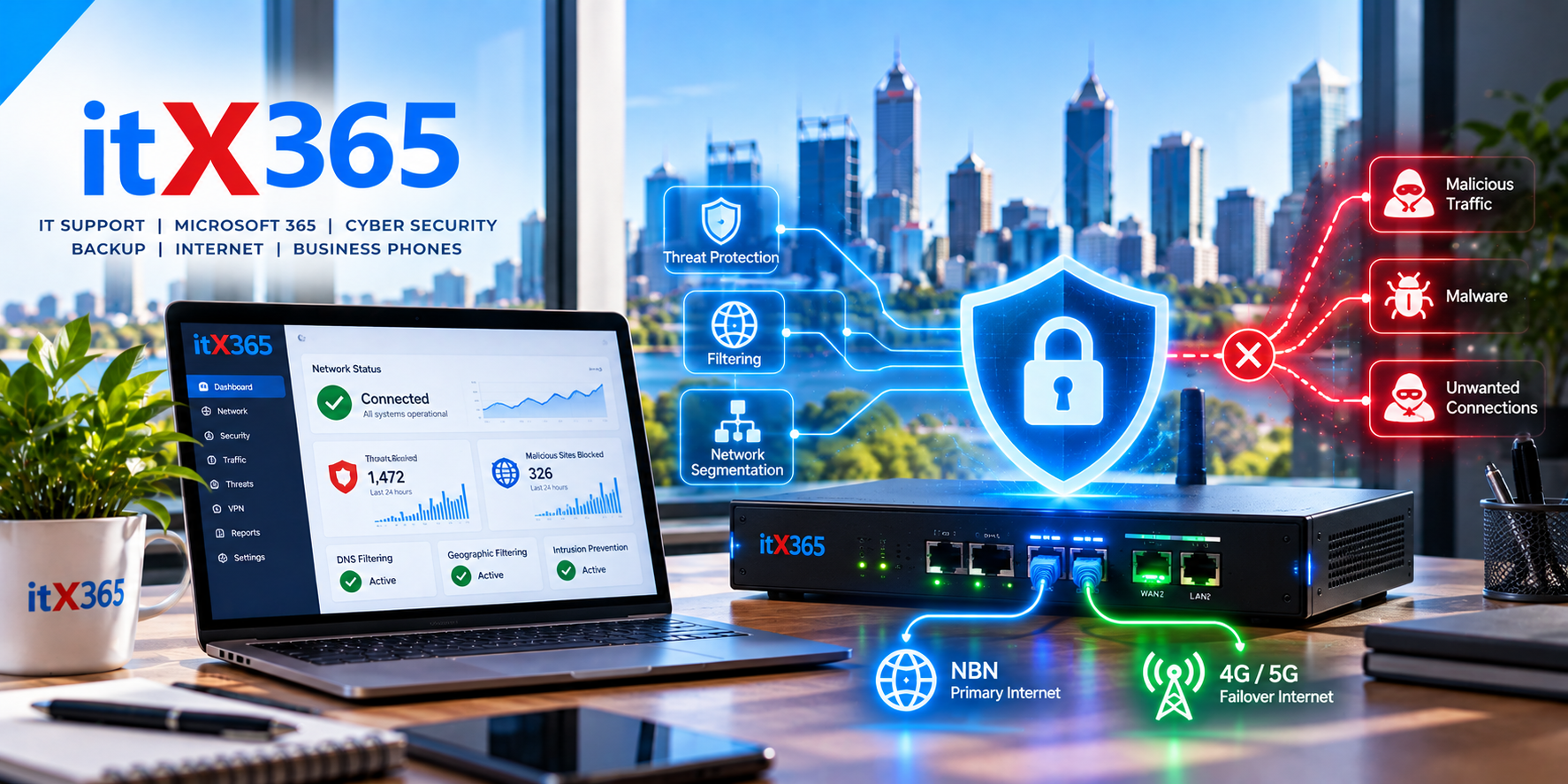
Does Your Small Business Really Need a Managed Firewall?
Isn’t the router from your internet provider enough?
Most businesses have a router.
It connects the office to the internet, provides Wi-Fi and usually includes some basic firewall functionality.
So it’s reasonable for a business owner to ask:
Why would we need anything else?
The answer comes down to the difference between simply connecting a business to the internet and actively managing the security of that connection.
For a very small business with simple requirements, a basic router may be perfectly adequate.
But as a business becomes more dependent on cloud applications, Microsoft 365, remote access and connected devices, the network becomes an increasingly important part of its cybersecurity.
That’s where a managed firewall can provide additional protection and visibility.
What does a firewall actually do?
At its simplest, a firewall controls network traffic between your business and other networks, including the internet.
It decides which connections should be allowed and which should be blocked based on configured rules.
Basic firewall functionality has been built into routers for many years.
Modern business firewalls, however, can provide significantly more security capabilities.
Depending on the solution, this may include:
- Intrusion detection and prevention
- Malicious website blocking
- DNS filtering
- Application control
- Geographic filtering
- Threat intelligence
- VPN connectivity
- Network segmentation
- Security logging
- Monitoring and alerts
The important distinction isn’t simply whether a business has a firewall.
It’s what that firewall is capable of doing and whether somebody is actually managing it.
What makes a firewall “managed”?
Installing a firewall and never looking at it again doesn’t make it managed.
A managed firewall is actively maintained as part of the business’s IT environment.
This can involve keeping its software and security services updated, reviewing alerts, maintaining security policies, monitoring its health and changing its configuration as the business evolves.
For example, if a firewall goes offline at 2:00 AM, does anybody know?
If a security service stops updating, is somebody alerted?
If an employee needs remote access, is it configured securely?
If suspicious network activity is detected, who investigates it?
Those operational questions are often more important than the brand printed on the device.
Your network is part of your cybersecurity
Cybersecurity discussions often focus heavily on computers and email.
Those are important, but they’re only part of the environment.
Your network connects computers, printers, phones, wireless access points, servers, security cameras and an increasing number of other devices.
Some of those devices may have very different security capabilities.
A properly designed network can help control how these devices communicate and reduce unnecessary access between different parts of the environment.
What is network segmentation?
Imagine an office containing employee computers, printers, security cameras and guest Wi-Fi.
Do all of those devices really need to communicate freely with each other?
Usually not.
Network segmentation allows different types of devices or users to be separated into logical networks.
For example, guest Wi-Fi can be isolated from the internal business network.
Security cameras or other connected devices can potentially be placed on a separate network from employee computers.
This doesn’t eliminate security risk, but it can reduce unnecessary exposure.
DNS filtering can stop connections before they happen
Every time you visit a website, your computer normally uses DNS to determine where that website is located.
Security-focused DNS services can use this process to block access to known malicious or inappropriate destinations.
For example, if an employee clicks a link to a known malicious website, DNS filtering may prevent the computer from reaching it.
This provides another security layer alongside endpoint protection, email security and browser protections.
It isn’t a replacement for those systems.
It’s an additional layer.
What about geographic blocking?
Many small businesses operate almost entirely within Australia.
That raises an interesting question:
Should every service on the business network be accessible from everywhere in the world?
In some environments, geographic filtering can be used to reduce unnecessary exposure by restricting certain traffic based on its country of origin or destination.
However, geographic blocking shouldn’t be treated as a magic cybersecurity solution.
Attackers can use infrastructure located in many different countries, including Australia.
It’s another tool that can reduce exposure when used appropriately.
Can a firewall stop phishing emails?
Generally, that’s not its primary job.
This is an important example of why cybersecurity needs multiple layers.
A firewall protects the network.
Email security helps identify malicious email.
Endpoint protection helps protect computers.
MFA helps protect user accounts.
Backups provide recovery options when preventative controls fail.
Each layer addresses different risks.
No single security product — including an expensive firewall — solves everything.
What happens when employees work from home?
This is another reason cybersecurity can no longer depend entirely on the office firewall.
A laptop might spend half its time connected to the office network and the other half connected to an employee’s home Wi-Fi, a hotel or another external network.
Security therefore needs to follow the device and user.
Technologies such as endpoint protection, Microsoft 365 identity security, MFA and device management remain important regardless of where the employee is working.
The firewall is one component of the overall security strategy.
Does every small business need an expensive enterprise firewall?
No.
Security should be proportionate to the business.
A two-person business doesn’t necessarily need the same network infrastructure as a 100-person organisation.
Technology has also changed considerably.
Modern security services make it possible to provide useful network protection to very small businesses without installing large and expensive enterprise appliances.
The right solution should be based on the organisation’s size, network, information, risk and operational requirements.
Why monitoring matters
One of the biggest differences between consumer networking equipment and a managed business environment is visibility.
When something fails or behaves unexpectedly, somebody needs to know.
Monitoring can help an IT provider identify problems such as an offline firewall, failed internet connection or unavailable network device.
That can sometimes allow an issue to be investigated before employees even realise something has gone wrong.
This is part of the broader shift from reactive IT support to proactive managed IT.
A firewall should be part of a layered security strategy
A managed firewall can be an important cybersecurity control, but it shouldn’t operate in isolation.
For many small businesses, a broader security approach might include:
- Multi-Factor Authentication
- Endpoint protection
- Microsoft 365 security
- Email protection
- Managed firewall
- DNS filtering
- Security updates
- Device management
- Backup and recovery
- Monitoring
If one security layer fails, another may still prevent or limit the incident.
That’s the principle behind layered security.
Managed network security with itX365
At itX365, we help Perth businesses implement practical network security based on their actual requirements.
That can include managed firewalls, secure DNS, network segmentation, Wi-Fi, VPN connectivity, internet failover and ongoing monitoring.
For very small businesses, we can also use appropriately sized security solutions rather than assuming every organisation needs expensive enterprise equipment.
The objective isn’t to make the network complicated.
It’s to provide appropriate protection, visibility and management without getting in the way of employees doing their jobs.
Not sure what’s protecting your business network?
If your firewall is simply the router that arrived with your internet service — and nobody is quite sure what it’s doing — it may be worth reviewing your network security.
Talk to itX365 about managed firewall and network security options for your Perth business.